
Extenstion auto-login
Support all TM regions. Necessarily for UK/EU.
To use extension auto-login checkout install in your Chrome - Encore extension from Installation. Make sure that your version match with version in guide.
Set in Settings:
InbotBrowser":false,Enter Full URL (for queue) or Full checkout link (for carting) in your chrome browser from Queue pass & Carting webhook and click on Encore extension. [Ex: http://localhost:8005/api/bot/checkout]
Multiple instances support You will be able to open the extension link on any instance and in any Chrome browser, only need to have the extension installed - you won't even need to have the bot open on another instance to open the link via extension.
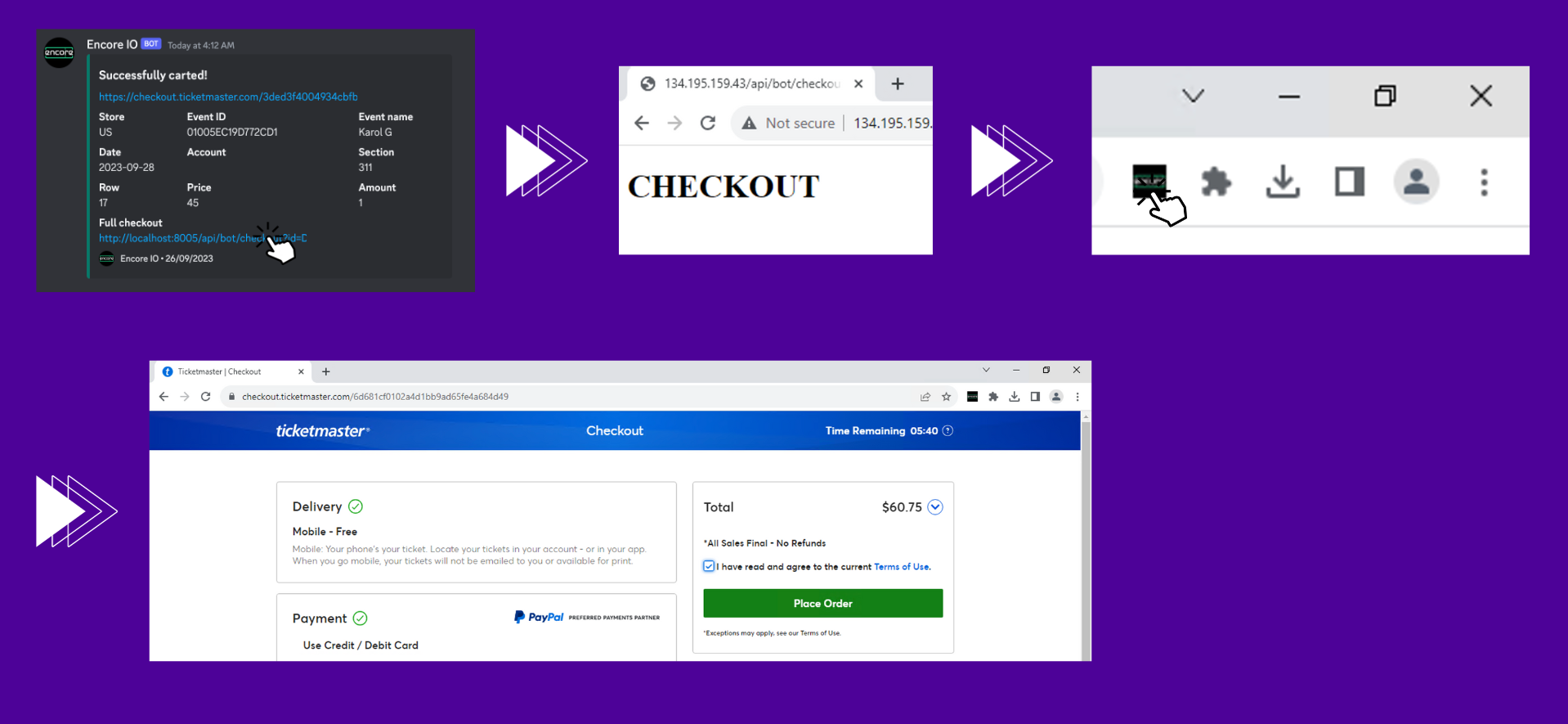
Extension will activate checkout link or queue pass, so you can proceed with the payment and get tickets.
For US/UK: extension will activate checkout link and auto-login in carted account using same proxies and cookies.
For EU: extension will activate checkout link in guest mode , so you will just need to login manually in any of your accounts during checkout.
If the checkout page doesn't fully load (slow proxy speed) - use Proxy URL Modifier to update proxy in auto-login links: https://encsoft.app/api/bot/changeProxy
Put auto-login link + New proxy = Get new link with new proxy

Left to pay and get your ticket! 🥳
Last updated